So I’m trying to do something that’s probably not the best idea…
I’m trying to drive Pirate Audio 3W board (which I know is intended to be driven from
Raspberry Pis) from a Pico 2 W board using (and here is possibly the oddest bit)
using circuitpython.
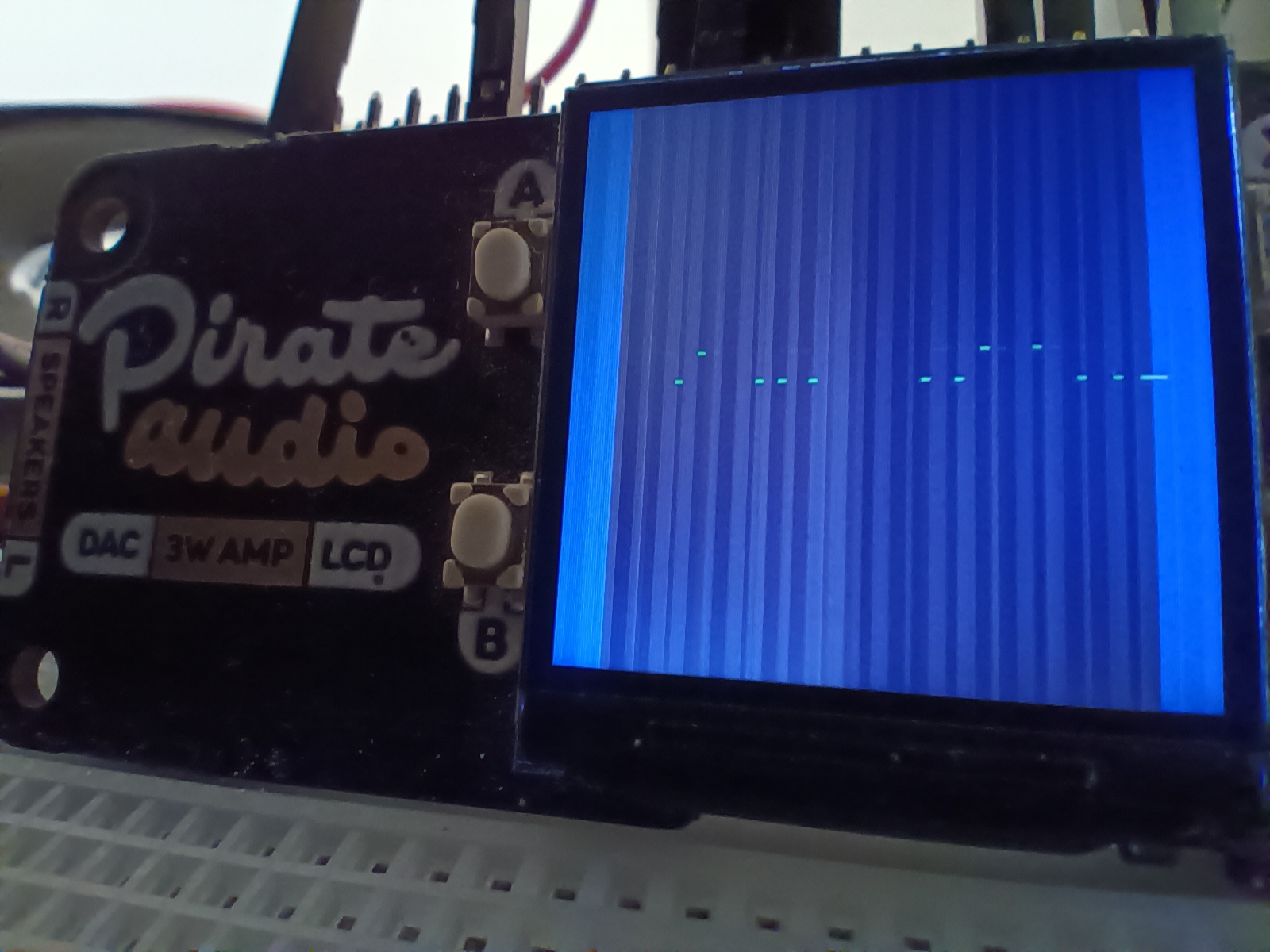
The audio side of the board works just fine, but I cannot get a clear image on the TFT.
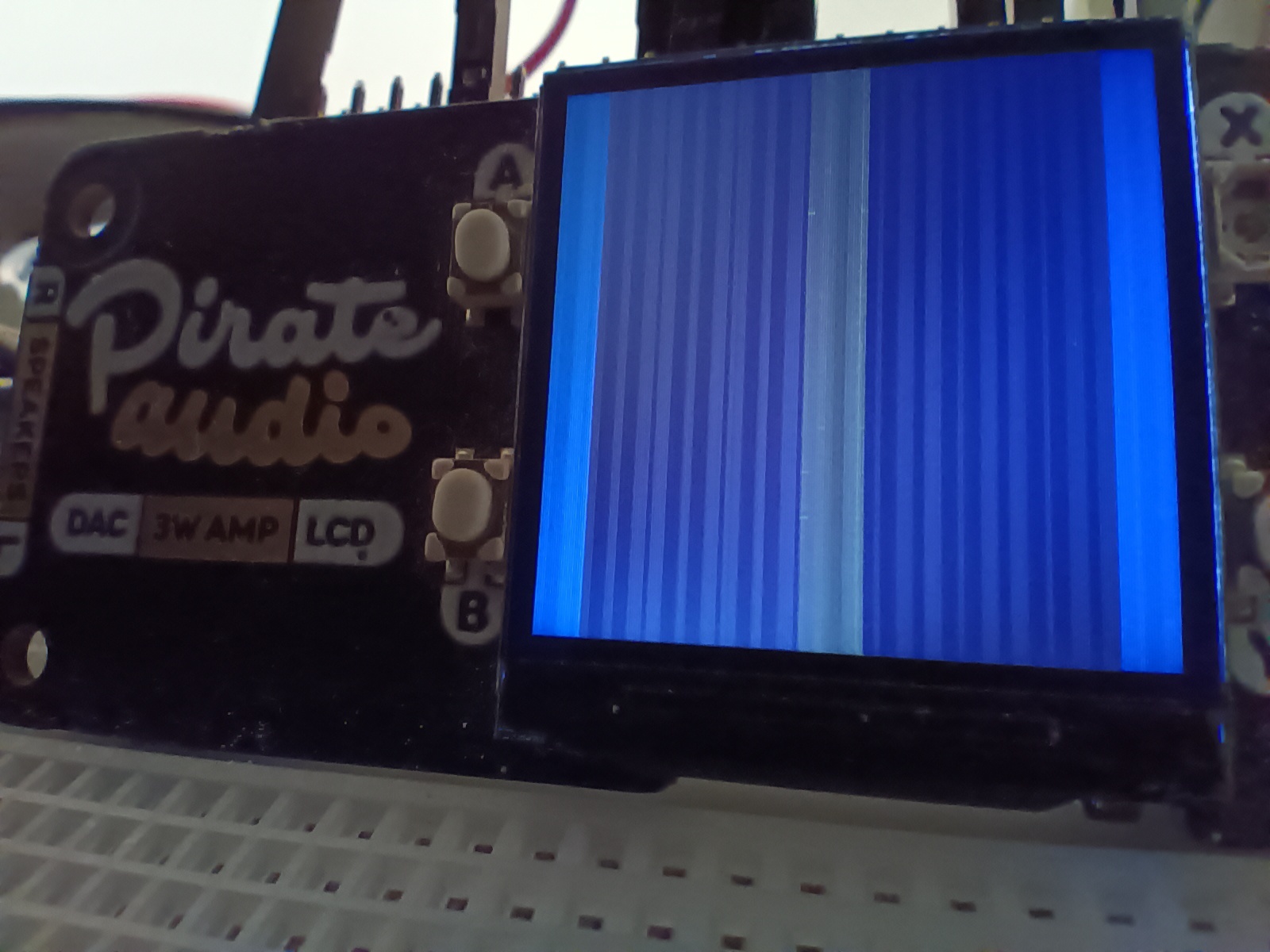
Backlight comes on fine, but (whichever way I set rotation) I get some bright and some dull lines running top to bottom.
Colours seem to match what’s in the code, but this should produce the text ‘hello world’ on top of a purple inner box sitting on a blue background.
Instead I get this…
If I rotate by 90 degrees, I get this..
Here’s the code I’m using.
# pins https://pinout.xyz/pinout/pirate_audio_3w_amp#

# st7789 19, 21, 23, 25, 26, 33

# pirate audio 3w pin       | pico pin
# 19 lcd spi mosi           | GP19 25
# 21 lcd data/command       | GP16 21
# 23 lcd spi sclk           | GP18 24
# 25 gnd                    | GND  23
# 26 lcd spi cs             | GP17 22
# 33 lcd backlight enable   | GP20 26

# I'm going to assume board power already taken care of with the audio.

# code grabbed from https://docs.circuitpython.org/projects/st7789/en/latest/examples.html#pimoroni-pico-display-pack
# it looks very similar
# SPDX-FileCopyrightText: 2021 ladyada for Adafruit Industries
# SPDX-License-Identifier: MIT

"""
This test will initialize the display using displayio and draw a solid blue
background, a smaller purple rectangle, and some yellow text.
"""
import board
import busio
import displayio
import terminalio
from adafruit_display_text import label
from fourwire import FourWire

from adafruit_st7789 import ST7789

# First set some parameters used for shapes and text
BORDER = 20
FONTSCALE = 3
BACKGROUND_COLOR = 0x0000FF # Blue  # was 0x00FF00 Bright Green
FOREGROUND_COLOR = 0xAA0088  # Purple
TEXT_COLOR = 0xFFFF00 # full red+green.  does that get you yellow?
# Release any resources currently in use for the displays
displayio.release_displays()

tft_cs = board.GP17
tft_dc = board.GP16
spi_mosi = board.GP19
spi_clk = board.GP18

backlight = board.GP20 # WAS GP20

spi = busio.SPI(spi_clk, spi_mosi)

#spi = board.SPI()
# the pimoroni lib seems to set 80Mhz spi speed (shrug)
# it sets backlight 0 - 100
while not spi.try_lock():
    pass
spi.configure(baudrate=24000000) # originally 24000000 # Configure SPI for 24MHz
# what frequency do we actually get?
print(spi.frequency) # pico w gets 15625000
spi.unlock()
# speed we got back was 18750000
display_bus = FourWire(spi, command=tft_dc, chip_select=tft_cs, baudrate=24000000)
display = ST7789(
    display_bus,
    rotation=90, # was 270
    width=240,
    height=240, # was 135
    rowstart=80, # was 40 # 80 eliminated a bright horizontal line.  if driver is really 240*320, 80 makese a sort of sense.
    colstart=0, # non-zero values just make a black margin appear on RHS of screen.
    #colstart=53,
    #colstart=53, # was 53
    backlight_pin=backlight,
    #invert=False, # works it seems but still loads of vert liness
    # bgr=True, invert=True
)

# Set the backlight
#display.brightness =0.5# was 0.8
display.brightness=0.9

# Make the display context
splash = displayio.Group()
display.root_group = splash

color_bitmap = displayio.Bitmap(display.width, display.height, 1)
color_palette = displayio.Palette(1)
color_palette[0] = BACKGROUND_COLOR

bg_sprite = displayio.TileGrid(color_bitmap, pixel_shader=color_palette, x=0, y=0)
splash.append(bg_sprite)

# Draw a smaller inner rectangle
inner_bitmap = displayio.Bitmap(display.width - BORDER * 2, display.height - BORDER * 2, 1)
inner_palette = displayio.Palette(1)
inner_palette[0] = FOREGROUND_COLOR
inner_sprite = displayio.TileGrid(inner_bitmap, pixel_shader=inner_palette, x=BORDER, y=BORDER)

splash.append(inner_sprite)
# Draw a label
text = "Hello World!"
text_area = label.Label(terminalio.FONT, text=text, color=TEXT_COLOR)
text_width = text_area.bounding_box[2] * FONTSCALE
text_group = displayio.Group(
    scale=FONTSCALE,
    x=display.width // 2 - text_width // 2,
    y=display.height // 2,
)

text_group.append(text_area)  # Subgroup for text scaling
splash.append(text_group)

while True:
    pass
I’ve added the corresponding adafruit_ST7789.mpy and adafruit_display_text libs
Wiring
I’ve wired it pretty much as suggested for nearest-equivalent board.
I’ve tried two different picos (a pico W 2 and a pico W), with the same results and 9.x and latest 10.x circuit python builds.
Adafruit CircuitPython 9.2.9 on 2025-09-07; Raspberry Pi Pico 2 W with rp2350a
Adafruit CircuitPython 10.0.3 on 2025-10-17; Raspberry Pi Pico W with rp2040
I feel like I’m so close to getting this working.
Any suggestions how I can debug this further? I have a multimeter and a debug probe available.
Is there a datasheet for the specific screen (and driver chip) used in the pirate audio 3W board available somewhere? Maybe that will help me figure out where I’ve gone wrong, or what needs to change?
