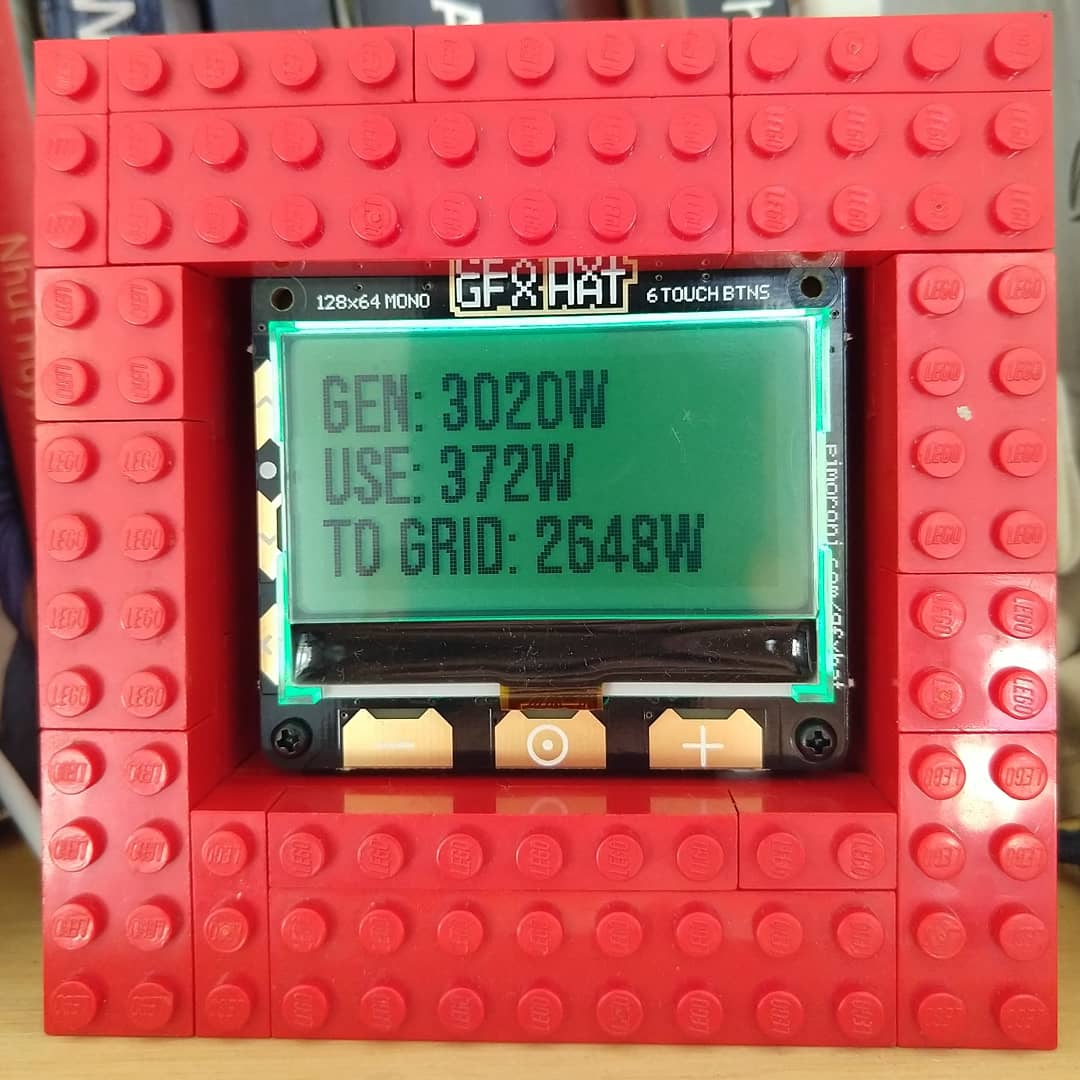
Hi @Snux,
Here is the code I tweaked from Zarch’s code posted earlier to get working with the data from the Fronius inverter and the pimoroni gfxhat, running on a raspberry pi.
Cheers
Simon
#!/usr/bin/env python

import time
import signal
import requests
import sys

from gfxhat import touch, lcd, backlight, fonts
from PIL import Image, ImageFont, ImageDraw

font = ImageFont.truetype('/home/pi/fonts/BebasNeue-Regular.ttf',22)

def set_backlight(r, g, b):
    backlight.set_all(r, g, b)
    backlight.show()

def cleanup():
    backlight.set_all(0, 0, 0)
    backlight.show()
    lcd.clear()
    lcd.show()

def handler(ch, event):
    if event == 'press':
        led_states[ch] = not led_states[ch]
        touch.set_led(ch, led_states[ch])
        if led_states[ch]:
            backlight.set_pixel(ch, 0, 255, 255)
        else:
            backlight.set_pixel(ch, 0, 255, 0)
        backlight.show()

def signal_handler(signal, frame):
    #print("\nprogram exiting gracefully")
    cleanup()
    sys.exit(0)

signal.signal(signal.SIGINT, signal_handler)
signal.signal(signal.SIGTERM, signal_handler)

led_states = [False for _ in range(6)]

width, height = lcd.dimensions()
cleanup()
set_backlight(0,0,128)

w, h = font.getsize('>')

# Set X and Y to top left of lcd
x = 0
y = 0
image = Image.new('P', (width, height))
draw = ImageDraw.Draw(image)

for x in range(6):
    #backlight.set_pixel(x, 0, 128, 0)
    touch.on(x, handler)

#backlight.show()

for x in range(128):
    for y in range(64):
        pixel = image.getpixel((x, y))
        lcd.set_pixel(x, y, pixel)

text = "Initializing"
draw.text((x, y), text, 1, font)
y = y + h

# This clears the display ready for next display, otherwise the countdown over-prints
for x in range(128):
    for y in range(64):
        pixel = image.getpixel((x, y))
        lcd.set_pixel(x, y, pixel)
    lcd.show()

usage_result = 0
solar_result = 0
backlight.show()
using = 0
delay = 5 # delay between updates in seconds
gap = (width / delay)

while True:

    for countdown in range (delay,0,-1):
        if countdown == 1:
            milli_sec_end = int(round(time.time() * 1000))
            milli_sec_start = milli_sec_end - 300000
            solar_result = 0
            usage_result = 0
            grid_result = 0

            try:
                response = requests.get("http://192.168.0.8/solar_api/v1/GetPowerFlowRealtimeData.fcgi")
                json_data = response.json()

            except requests.exceptions.RequestException as e:
                print (e)

            if response.status_code == 200:
                usage_result = int(round(abs(json_data['Body']['Data']['Site']['P_Load'])))
                solar_result = (json_data['Body']['Data']['Site']['P_PV'])
                if solar_result == None:
                    solar_result = 0
                else:
                    solar_result = int(round(abs(solar_result)))

                grid_result = int(round(json_data['Body']['Data']['Site']['P_Grid']))
                #grid_result = 0
                #print ("solar_result", solar_result)
                #print ("usage_result", usage_result)
                #print ("grid_result", grid_result)
                #print ()

            else:
                usage_result = 0
                solar_result = 0
                grid_result = 0

            if -1500 >= grid_result >= -6000:
                set_backlight(0,128,0)
            elif -1 >= grid_result >= -1500:
                    set_backlight(192,128,0)
            else:
                set_backlight(128,0,0)

            # Set X and Y to top left of lcd
            x = 0
            y = 0
            image = Image.new('P', (width, height))
            draw = ImageDraw.Draw(image)
            text = "Gen: " + str(solar_result) + "w"
            draw.text((x, y), text, 1, font)
            y = y + h

            text = "Use: "+str(usage_result)+"w"
            draw.text((x, y), text, 1, font)
            y = y + h

            if grid_result > 0:
                text = "From Grid: "+str(grid_result)+"w"
                draw.text((x, y), text, 1, font)
                y = y + h
            else:
                text = "To Grid: "+str(abs(grid_result))+"w"
                draw.text((x, y), text, 1, font)
                y = y + h

            # This clears the display ready for next display, otherwise the countdown over-prints
            for x in range(128):
                for y in range(64):
                    pixel = image.getpixel((x, y))
                    lcd.set_pixel(x, y, pixel)
            lcd.show()

        time.sleep(1)